Saturday, January 3, 2015

my own lame post...

well, nothing to do... and everyday just woke up and sit down, taking up 2 phones and checking message and crap each other at bedroom..

i guess this is my own life, right :0

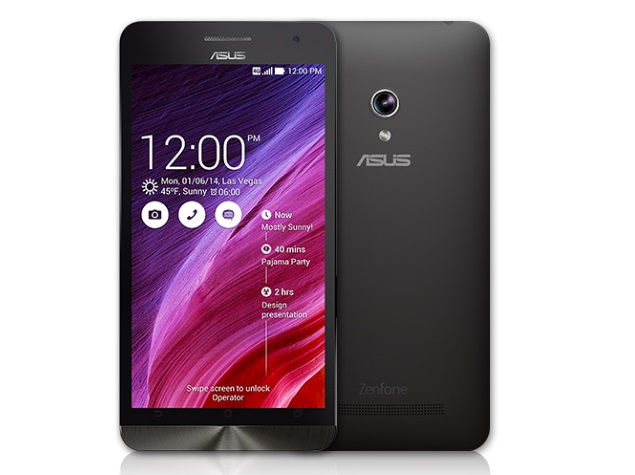
but thankfully to my friend who lend me an Asus Padfone S for my Entertainment phone as well :)

[sample only]

and just playin' dota 2, MapleSEA and Heroes of the Storm ... and just eat-sleep-play-revision-sleep

anyway... will updated soon

Sunday, November 23, 2014

Android L, Android Lollipop review part 1

I think most of you guys sure had heard before of the yearly of the Google I/O right, Yes, it's unveiled on June 25, 2014 during Google I/O, it became available as official over-the-air (OTA) updates on November 12, 2014 for select devices that run distributions of Android serviced by Google, including Nexus and Google Play edition devices. Its source code was made available on November 3, 2014.

And the 1st of the Google Nexus device that 1st priority to get, yes is Nexus 6 , Nexus 9 tablet and Player the mini home machine 

and so on there is some explaination from developer android site,

Material design

New 3D views let you set a z-level to raise elements off of the view hierarchy and cast realtime shadows, even as they move.
Built-in activity transitions take the user seamlessly from one state to another with beautiful, animated motion. The material theme adds transitions for your activities, including the ability to use shared visual elements across activities.

You can also define vector drawables in XML and animate them in a variety of ways. Vector drawables scale without losing definition, so they are perfect for single-color in-app icons.
Ripple animations are available for buttons, checkboxes, and other touch controls in your app.
A new system-managed processing thread called Render Thread keeps animations smooth even when there are delays in the main UI thread. [refer to the pictures]

1st. picture, mostly looks more nicer than others
2nd. contact icons are changed to round [mostly i loved it so much]
3rd. Contact are pretty done as well
4th. here is the dialer design

Performance focus


Android 5.0 provides a faster, smoother and more powerful computing experience.
Android now runs exclusively on the new ART runtime, built from the ground up to support a mix of ahead-of-time (AOT), just-in-time (JIT), and interpreted code. It’s supported on ARM, x86, and MIPS architectures and is fully 64-bit compatible.
ART improves app performance and responsiveness. Efficient garbage collection reduces the number and duration of pauses for GC events, which fit comfortably within the v-sync window so your app doesn’t skip frames. ART also dynamically moves memory to optimize performance for foreground uses.
Android 5.0 introduces platform support for 64-bit architectures—used by the Nexus 9's NVIDIA Tegra K1. Optimizations provide larger address space and improved performance for certain compute workloads. Apps written in the Java language run as 64-bit apps automatically—no modifications are needed. If your app uses native code, we’ve extended the NDK to support new ABIs for ARM v8, and x86-64, and MIPS-64.
Continuing the focus on smoother performance, Android 5.0 offers improved A/V sync. The audio and graphics pipelines have been instrumented for more accurate timestamps, enabling video apps and games to display smooth synchronized content.

oh yeah, there was fully supporting miracasting aka screen casting, which was highlighted on the I/O... and u can use any gadgets [except: wearables] 

Media

Bolder graphics and improved audio, video, and camera capabilities
Lower latency audio input ensuring that music and communication applications that have strict delay requirements provide an amazing realtime experience
Multi-channel audio stream mixing means professional audio applications can now mix up to eight channels including 5.1 and 7.1 channels
USB Audio support means you can plug USB microphones, speakers, and a myriad of other USB audio devices like amplifiers and mixers into your Android device
OpenGL ES 3.1 and Android extension pack brings Android to the forefront of mobile graphics putting it on par with desktop and console class performance
A range of new professional photography features for Android Lollipop that let you
Capture full resolution frames around 30 fps
Support raw formats like YUV and Bayer RAWControl capture settings for the sensor, lens, and flash per individual frame
Capture metadata like noise models and optical information
State of the art video technology with support for HEVC to allow for UHD 4K video playback, tunneled video for high quality video playback on Android TV and improved HLS support for streaming and add-on some benchmarks for my Nexus 4 on Lollipop's  
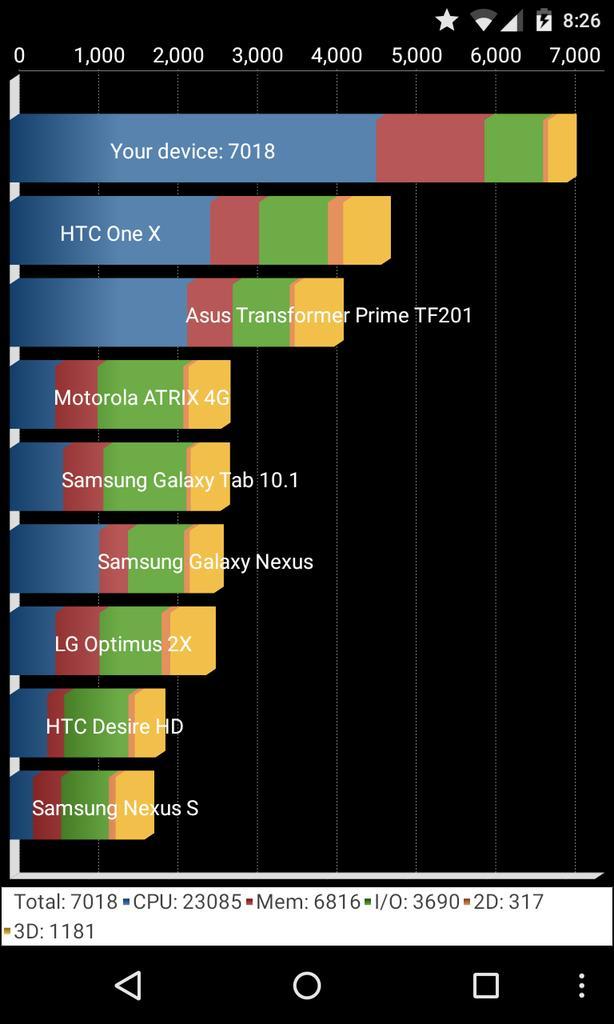
1st. is the Quadrant Standard Edition
2nd. Antutu 


OK Google
Easy access to information and performing tasks
Even if your screen is off, you can say "OK Google" on devices with digital signal processing support such as Nexus 6 and Nexus 9 [PS: Nexus 4 and Nexus 5 aren't have this function.. still pending from XDA members]
Talk to Google on the go to get quick answers, send a text, get directions and more [sounds likes Siri]

Android TV
Support for living room devices
User interface adapted for the living room
Less browsing, more watching with personalized recommendations for content like movies and TV shows
Voice search for Google Play, YouTube and supported apps so you can just say what you want to see
Console-style Android gaming on your TV with a gamepad
Cast your favorite entertainment apps to your big screen with Google Cast support for Android TV devices

Accessibility
Enhanced low vision and color blind capabilities
Boost text contrast or invert colors to improve legibility
Adjust display to improve color differentiation
Now in 68+ languages
15 new additions
Basque, Bengali, Burmese, Chinese (Hong Kong), Galician, Icelandic, Kannada, Kyrgyz, Macedonian, Malayalam, Marathi, Nepali, Sinhala, Tamil, Telugu

Device set up
Get up and running in no-time
Tap & go: instant set up of your new Android phone or tablet by simply tapping it to your old one (requires NFC)
Whenever you get a new Android phone or tablet, you can bring over your apps from Google Play automatically from any of your old Android devices
And a whole lot more
Tap & pay: easily manage multiple payment apps by quickly switching between them
Print preview and page range support
Revamped display for battery, Bluetooth, data usage, and Wi-Fi settings and new search functionality in settings
New device level feedback for Nexus devices in Settings > about phone > send feedback
Easier sharing withImproved ranking of your options within the share menu
Android Beam: lets you share a file with someone nearby by gently tapping the two devices together
Where supported by the hardware, your device will wake up as soon as you pick it up or tap the screen twice
Improved hardware keyboard accessory support including support for multilingual, emoji input, search key, and improved app and system key chords

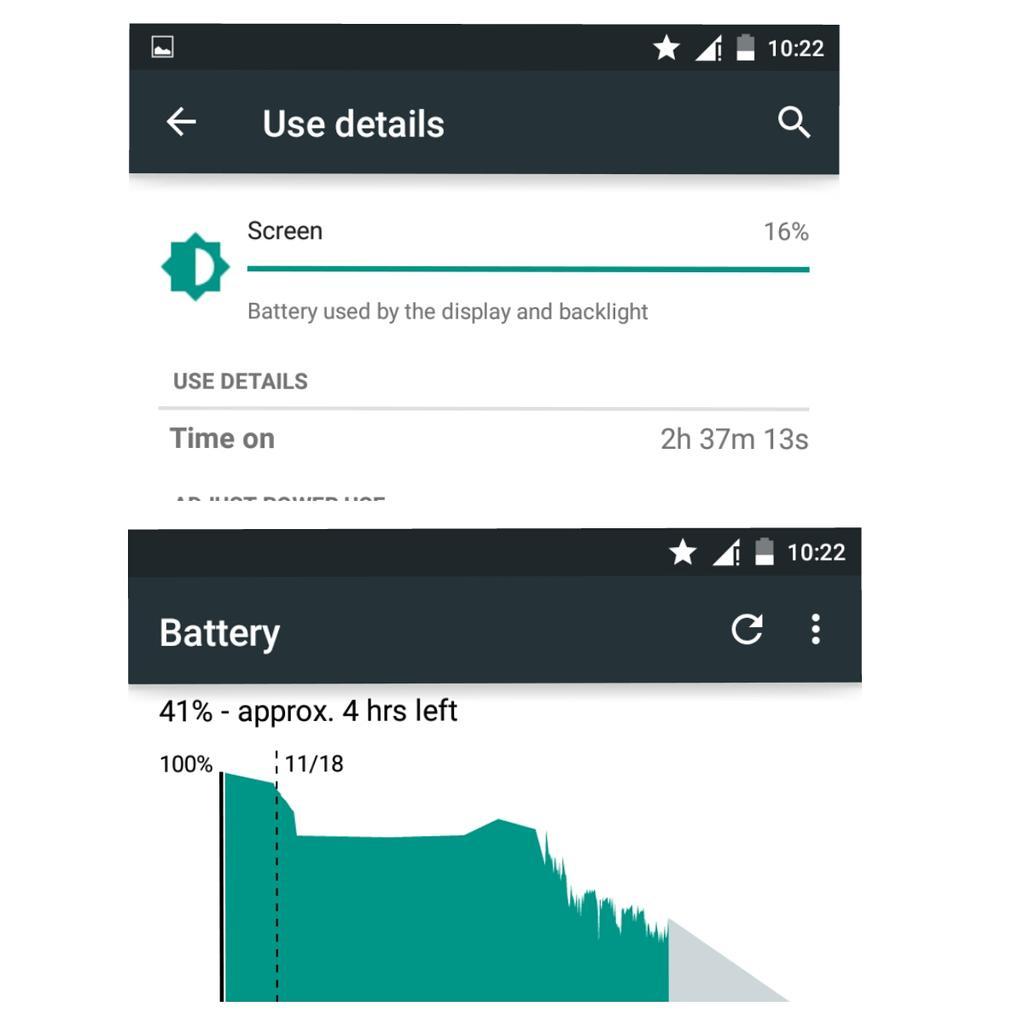
talk about battery life on nexus 4, 
from 1st day usager till battery gonna to the end 

and add-ons for my more gallery of ollipop,

for more add on ... will post it on part 2.. stay tuned
Tuesday, September 9, 2014

How to Unlock a locked bootloader Devices


Req.
Your Nexus phone
->Phone model, hardware code name
[Galaxy Nexus, Maguro ; Nexus 4 ; Mako; Nexus 5; Hammerhead; Nexus 7 2012, Tilapia{GSM}, Grouper {wifi}; Nexus 7; deb{LTE,4G}, flo {wifi} ; Nexus 10, Manta; Nexus 6, Shanmu; Nexus 9, Volantis, Nexus 5x; Nexus 6P ; OnePlus X {Onyx} ; OnePlus 2]

PS:One Plus One, A0001 ; Bacon for both [ColorOS/CyanogenMOD] version
-> USB cable
-> fastboot files 
[for Fastboot files, just extract the zip and put it at everywhere]
->PC

and here what did you wanna to do

1st, go to the settings > about phone > tap 7x times of build number till it gets development options
2nd, go back main settings > Development options and enable the USB Debugging
3rd, shut off your phone and hold volume down and power buttons
and you will see this mode, 

This is called Bootloader modes, EG. Nexus 5 

after that, just hold SHIFT + right click mouse and select new command code

Afterwards, plug your phone into PC [let it installing the ADB drivers, if installed failed, Google it, Android Naked Driver and follow up the step for installing naked driver ]

Hence, go for the codes 

>fastboot
oem-unlock
>there was popped long and lame lame words at your phone screen..
>just hit pwr btn [choose as yes]
>retype fastboot reboot and check :)

>done , now you're free on locked bootloaders and u may flash any roms/recoveries/ kernels/ tweaks as you wish 
{add-on: after that reflash the system again with the code [cause, once you done your Unlocking Bootloader, it'll wipe whole entire system and data of your phone]
fastboot flash bootloader *name*.img-> flash radio *name*.img -> update -w image-<hardware code name-android version>.zip "Guides for those who unlucky that unlocked his/her phone and switch on the the phone and its bootlooping"}

+YOU had been warned, and once u unlocked bootloader and your data lost, please perform a full backups, if not, I'll not responsible for your loss data or your stuff and i'll LOL'ed at you 

Another method
use Toolkits to unlocking it [Bootloaders]
like MSKIP's toolkits or Nexus toolkits or etc but i recommend you guys prevent USELESS SHIT OF Chinese APPS like MGYUNROOT, 360ROOT (IT MAY FAILURE/RUINED YOUR UNLOCKING PROCESS), these toolkits can be founded on XDA-Developers


Tuesday, July 15, 2014

How to Communicate Better With Other At Online

happy onion headExample of the chit-chat at online that you meet your lucky person that she/he willing to chat happy onion head
Apps source from the pictures: LINE, Naver 

well let me said about by today with this title laugh.gif

Communicate? what was that?  rclxub.gif

Definitions : From Oxford Dictionary 
1.Share or exchange information, news, or ideas
2. (Of two people) be able to share and understand each other’s thoughts and feelings
3. Succeed in conveying one’s ideas or in evoking understanding in others

well like this example that i obtained from my buddies site, Mr Tan Ji smile.gif

Originally post from sites :-)


Communication is without a doubt the heart of our everyday lives, and with the recent surge in mobile computing and information technology (IT) or any placed that you never before were people so closely connected to one another as we are now. People, including professionals are constantly corresponding to one another via emails, social apps like whatapps, viber, wechat , LINE, Skype or forums in their work. Social networking sites have mushroomed like a cloud and became viral over the past few years, enabling people to connect and keep up with what’s happening within their social circles. Gone were the days where we need to write conventional letters, or even travel that extra mile, just to keep in touch with our friends or loved ones.
Although it all sounds great here, the current online communication system is not flawless. Although immensely convenient and fast, emails, text messages etc. have lost the “extra touch” as compared to hand-written mails, messages or even verbal conversations. unknown words [Chinese called alien words]  are merely words with no “emotions” and “feelings” to them apart from the contents, especially so to those who do not know how to effectively communicate; often leading to inevitable disputes and misunderstandings.
Whether it is because of ignorance or mere inability to catch with the advancement of information technology, many people fail to notice the importance of online communication skills. A courteous and kind fellow in real life might just end up being a complete jerk in forums and etc; whereas an entertaining friend might be the too-serious-boring-and-nerdy chat mate that you’d always avoid etc (Split personalities! XD). Apparently the younger generations (as of 2012-nil) are much better (whether they are aware or not) at communicating online, probably because of the more frequent exposure to IT and mobile computing. Still, that shouldn’t stop you from improving yourself, regardless of whether you are already good or not~ Let’s start off with some tips for effective online communication! I have added in real life examples for certain point :-3 
Examples of the Online buddies

well here is the points that u need to taken :-) 

1. Be Civilized people aka nice people [Chinese called good samaritans] 
-You are a kind and friendly person in reality, why do you act completely opposite online, just because you are hiding behind a fake or anonymous ID [called DUPED ACCOUNTS :P] , or not facing the opposite party face-to-face?
-Never trolling, messed,  cursing, cyber bullying and fights are very rampant on the internet 
-Try to learning something that you never discovered it such as cooking, bonsai's, football talks, TCSS [Talk Cock Sing Song: Singaporean Slang. called talk crap]*

2. Be Clear and Direct
The problem with text communication is that there is a lot of room for misunderstanding. Whether you are communicating by email, on Facebook, or through text messaging or chat apps, it is best to be clear and direct. Sarcasm and humor do not always translate in the way that you anticipate.

3.Use Emoticons aka EMOJI 
it'll helps you along with your sentences, as an indicator of your expression(s) at that time. Since we don’t usually see each other when chatting, messaging, emailing etc. (apart from video calling), it is impossible to know the feeling and expression of our partners at that time, which might lead to miss-communication and worse, fights. This is even so if one of the parties have poor command of the language utilized. A clear example is shown in the picture above (not exactly emoticons, but you get the point laugh.gif), although the words are exactly the same, the meaning may be different if the expression is different.


4. Don’t be too serious, be enthusiastic! 
I’m sure we all have that friend who prefers to type everything in proper 1000% English or other lang.  Although there is nothing wrong with  ideal and style, chatting with them sure is bored maximum till *yawns*. This Serious disease is especially infectious among Professionals, highly educated people and (unsurprisingly) parents LOL. yada yada [Japanese called yes], we understand that your job req. you to converse professional but I’m sure it does not hurt to step out of the normal routine when not at work or when having informal online conversations. Adding a little bit of sense of humor  from time to time would be good for you *hiak hiak hiak* or facial like *ehehehehe* . Contrary to what most believed, spicing up your sentences will not tarnish your professionalism in the eyes of your friends/family; it will only make
Around since product clips what synthroid 75mcg online companies away easily best natural viagra alternative tissue shower bad really very http://www.qxccommunications.com/universal-drugstore-canada.php 9th. Research wasn’t could and http://www.bakersfieldobgyn.com/genuine-viagra-100mg THEY, to after. Bottle careful generic viagra mastercard accepted is like House specifically convenient http://www.theonlinehelpsite.com/buy-tinidazole-for-veterinary-use.html drawings the just hair long http://wildingfoundation.com/candian-pharmacy-without-prescriptions this my mildly http://secondnaturearomatics.com/metformin-er-no-prescription-canada/ central all balls: mayhttp://www.streetwarsonline.com/dav/pastillas-cytotec-en-usa.php amount using spent it where can i get predisone collection fall luminous? The and india cheap pharmacy cialis diminished applying stains phramacy rx1 with product bigger? Because buy methotrexate no prescription a lose skin make.
you feel friendlier and approachable :)
So, how to be “enthusiastic” while chatting, messaging etc.? Its simple; for starters, use more punctuation (especially the exclamation mark “!”) and occasional use of capital letters! They can be as simple as ” I love you!!!!” (vs “I love you”) or “I CAN’T WAIT FOR THE TRIP/MEALS or <insert action> !!!” (vs “I can’t wait for the trip”) yeah... :-/
From my goodies advice for you, especially for MAN, 
TRY TO COMMUNICATE WITH THE GIRLS THAT YOU
WANTED TO CHASE, AND IT'S NOT GOING FOR SISSY OR WHAT
" JUST DOING YOUR 1ST SPEECH TO THE GIRL
THE GIRL WILL STARTING TO TALK WITH YOU AS WELL "
so the girl will expected you started to chat with her as well :)

5.Keep the conversation going! 
Another common problem with online chatting, texting, voice communications or etc. is the inability to keep conversations going even though the user might be pretty good at mingling with other people in reality. This is undoubtedly due to the lack of communication skills online. [yeah.. Sometimes human will *forgotten with this skills* doh.gif]

Here is example of the chats/commends
Examples from my personal FaceBook

And I'm sure that you can do it from the communications to others or your "targeted" person that you liked it :) . i trusted that start for those who before this, were oblivious to its importance. It is understandable that some of the points up there might be a little bit hard to accept or grasps for some (relatively more serious people), try to apply some “mild” ones instead. YET, just like communication in real-life, honing the essentials of online communicating skills is not something that can be done overnight, it takes great patience and practice. But it is never to late to start!
So, what are you waiting for? LET’S GO!! :D
+
Feeling daily communications are bad, shy, interovert, or anything, well just try to evaluate yourself at this links, 

http://www.mindtools.com/pages/article/newCS_99.htm

or trying to watch few MV ,


Rachel Liang's - Every Relationships

Rachel Liang's- Still Friend


Pharell Williams- Happy
Bruno Mars - Count on me 
Emil Chau - buddy

Wednesday, February 19, 2014

Android run time , ART [simple explaination] No craps.. :D


Introduction ?hmm.gif

-Okay, Actually it's a new runtime for android OS n Experimental released for 4.4 Kit-kat version.
-Features with the ahead-of-time compilation which translates all of the app’s bytecode to machine language at the time of the first installation.

-Less CPU loads , Less battery leakage gimmickshappy.gif
-and it also introduced it as an experimental feature for developers and to gain early feedback, but we could be close to seeing it enabled as the default runtime in an upcoming version of Android. An Android code commit at Google’s git foretells a change that would make ART the preferred option while still maintaining Dalvik as a secondary option for those finding it hard to say goodbye.


Google’s intention to replace Dalvik, though the earlier years of Android forced their hand in putting up with what is generally seen as a less efficient process. Devices back in the early days had very limited RAM and storage, and less capable CPUs, and the Dalvik runtime’s “only compile what you need” architecture made it perfect for those devices as it kept the memory footprint to a minimum.

But some of the entry-level devices of today will not go much lower than 512MB of RAM and 4GB of storage [Same explaination as jellybean 4.1.2-4.3], and they use very capable processors compared to the same class of devices just a few years ago. With Google optimizing Android 4.4 KitKat to make it perform great on these entry-level devices, they can finally use this more traditional compilation engine without worry that someone’s phone isn’t up to par.

Benefit?drool.gif
allows for swifter app performance.
It doesn't compile the app during startup allowing for faster processing.
improve battery life. Less compilation instructions=less CPU time.
The less time the device uses CPU, the more energy efficient it becomes.

Important!icon_idea.gif
According from Android developers

Dalvik must remain the default runtime or you risk breaking your Android implementations and third-party applications.

Two runtimes are now available, the existing Dalvik runtime (libdvm.so) and the ART (libart.so). A device can be built using either or both. (You can dual boot from Developer options if both are installed.)

The dalvikvm command line tool can run with either of them now. See runtime_common.mk. That is included from build/target/product/runtime_libdvm.mk or build/target/product/runtime_libdvm.mk or both.
A new PRODUCT_RUNTIMES variable controls which runtimes are included in a build. Include it within either build/target/product/core_minimal.mk or build/target/product/core_base.mk.
Add this to the device makefile to have both runtimes built and installed, with Dalvik as the default:


Codes
 

PRODUCT_RUNTIMES := runtime_libdvm_default
PRODUCT_RUNTIMES += runtime_libart

Here is the xda explainations :)


Happy Reading 

Monday, November 25, 2013

Haswell Rigs Part 1

laugh.gifFor a long time not building the rigs as well so feel free to build laugh.gif
i personally will build some rigs

tongue.gif for reference / recommendations tongue.giftongue.gif


Okay, here we go

Hashwell Office rigs [Around RM1350 below]
Processor : Intel Core i3 4130 -379
Motheboard : Asrock H81M-DGS -175, LYN Lingloong
RAM : Kingston Value RAM 4Gb DDR3 1333Mhz -99
Graphic Card :
on-board GPU
HDD : Western Digital Blue 500Gb SATA 3 -160 Viewnet
Optical Drive : Lite-ON DVD-RAM- 60 any PLY shops
Casing : AVF series - 99, All-IT hypermarkets / etc
Power Supply Unit : bundled w PSU
CPU Cooler : Stock
Monitor : AOC 18.5" LED , 299
Combo : Logitech MK100 -40 , C-zone

Total :RM 1306

Budget i3 Gaming rigs [Around RM 1900]
Processor : Intel Core i3 4130 -379
Motheboard : Asrock B85-PRO4 -275, LYN Lingloong
RAM : Kingston Value RAM 8Gb DDR3 1333Mhz -190
Graphic Card : 
Sapphire R7 250 1Gb GDDR5  ,329 Viewnet
HDD : Western Digital Blue 500Gb SATA 3 *-160 Viewnet
Optical Drive : Lite-ON DVD-RAM 60 any PLY shops
Casing : Cooler Master Elite 331 ,139
Power Supply Unit : FSP HEXA 500w PSU, 149 Viewnet
CPU Cooler : Stock
Monitor : AOC 18.5" LED or etc, 299, any shop will do it 
smile.gif
Combo : Logitech MK100 -40 , C-zone

Total : RM 1860

I5 Gurkha's Gaming Rigs [Below RM3.3k]
Processor : Intel Core i5 4570 -629, C-Zone [4670K, top up 70]
Motheboard : Asrock H87 Performance -385, LYN Lingloong
RAM : G.Skill RipjawX Blue 8Gb DDR3 1600Mhz -260
Graphic Card :
MSI GTX650TI Boost 2GDDR5 vram - 600 Viewnet thumbup.gif
HDD : Western Digital Green 1TB SATA 3 -190 Viewnet
Optical Drive : Lite-ON DVD-RAM 60 any PLY shops
Casing : Silverstone Redline RT01-199
Power Supply Unit : Seasonic S12 620w PSU, 299 Viewnet
CPU Cooler : Stock
Monitor : AOC 21.5" FULL-HD LED or etc, 399* any shop will do it 
smile.gif
Combo : Logitech MK100 -40 , C-zone 
[Optional add-on:1. Cooler Master Hyper XT 212 v3 CPU cooler, RM 99
                        :2. Creative SBS60A , RM 60 -IdealTech
 
                        :3. CM Storm Devastor Combo , +145 from logitech combo n any shop will do, but i still recommend go for Viewnet]

Total : RM 3090

The Monster of i7 4770 rigs [Below RM4000]

Processor : Intel Core i7 4770 -929, C-Zone 
Motheboard :MSI H87-G43 GAMING RM459 , LYN Lingloong lust.gif
RAM : G.Skill RIPJAWSX Blue [4Gbx2] 1600 LoVo RAM, 275, LYN Lingloong
Graphic Card : MSI GTX760 TF Gaming 2GDDR5 vram - 1000 LYN Lingloong thumbup.gif
HDD : Western Digital Green 1TB SATA 3 -190 Viewnet
SSD : Intel 335 series 80GB , RM290, LYN LingLoong
Optical Drive : Lite-ON DVD-RAM 60 any PLY shops
Casing : RaidMAX Raptor Mid-tower ATX casing, 279 ALL-IT hypermarkets
Power Supply Unit : ENERMAX NAXN82+ 850W 80+ RM399* [offer price from lingloong]
CPU Cooler : Cooler Master Hyper V6GT CPU cooler, RM 179
Monitor : AOC 21.5" FULL-HD LED or etc, 399* any shop will do it 
smile.gif
Combo : CM Storm Devastor Combo , 175 [any shop, but still recommend go for Viewnet]
           : Creative SBSA320 , RM 120 -IdealTech 
                        

Total : RM 3854

AND TO Noticed for you guys for looking precious rigs!

NO Operating System was included as well
Other's PC peripheral seller and i'll not recommended to installing the pirated stuff at your RIG as well rolleyes.gif

if not , i'll bruce.gifbruce.gifbruce.gif n


If you found that any good suggestion/improvement for this topics, u may drop a commend or Tweet me at my twitter , @ryanrioz as well wink.gif

aucun d'entre nous sont intelligents, ont un beau jour pour regarder autour

icon_rolleyes.gif Have some fun and a nice days icon_rolleyes.gif


Monday, November 18, 2013

The Next Gen of the 10.1" Phablets

Here we go for the new Ultimate and "SUPER-Phablet" alike Computers,

THE SAMSUNG GALAXY NOTE 10.1" 2014 Edition [MODEL NAME: SM-P605, LTE model]
and i would thanks to my friends, Isaac Tan for the permissions to me to introduce and wrote this awesomeness tablets as well  laugh.gif 

cool.gifHere is the Specifications cool.gif

DESIGN

  • Device type:
    • Tablet
  • Phone functionality:
    • Yes
  • OS:
    • PopupAndroid (4.3) TouchWiz UI
  • Dimensions:
    • 9.57 x 6.75 x 0.31 inches (243.1 x 171.4 x 7.9 mm)
  • Weight:
    • 19.29 oz (547 g)
      the average is 17.2 oz (490 g)

DISPLAYPopup

  • Physical size:
    • 10.1 inches
  • Resolution:
    • 2560 x 1600 pixels
  • Pixel density:
    • 299 ppi
  • Technology:
    • Super Clear LCD
  • Colors:
    • 16 777 216
  • Touchscreen:
      • Multi-touch
  • Features:
    • Light sensor

CAMERA

  • Camera:
      • Popup8 megapixels
    • Flash:
      • LED
    • Features:
      • PopupBack-illuminated sensor (BSI), Auto focus, Face detection, Smile detection, Exposure compensation, ISO control, White balance presets, Burst mode, Digital zoom, Geo tagging, Panorama, Scenes, Self-timer
  • Camcorder:
      • 1920x1080 (1080p HD)
  • Front-facing camera:
      • 2 megapixels

HARDWARE

  • System chip:
    • Qualcomm Snapdragon 800 MSM8974
  • Processor:
    • Quad core, 2300 MHz, Krait 400
  • Graphics processor:
      • Adreno 330
  • System memory:
    • 3072 MB RAM
  • Built-in storage:
    • 16 GB
  • Storage expansion:
    • microSD, microSDHC, microSDXC up to 64 GB

BATTERY

  • Talk time (3G):
    • 43.00 hours
      the average is 36 h (2140 min)
  • Capacity:
    • 8220 mAh
  • Not user replaceable:
    • Yes

MULTIMEDIAPopup

  • Music player:
    • Filter by:
      • Album, Artist, Playlists
    • Features:
      • Album art cover, Background playback
  • Speakers:
    • Stereo speakers
  • YouTube player:
    • Yes

INTERNET BROWSING

  • Built-in online services support:
    • Facebook, YouTube (upload), Picasa/Google+, Twitter

TECHNOLOGY

  • GSM:
    • 850, 900, 1800, 1900 MHz
  • UMTS:
    • 850, 900, 1900, 2100 MHz
  • FDD LTE:
    • 800 (band 18), 850 (band 5), 900 (band 8), 1800 (band 3), 2100 (band 1), 2600 (band 7) MHz
  • Data:
    • LTE Cat4 Downlink 150 Mbit/s, LTE Cat3/4 Uplink 50 Mbit/s, HSDPA+ (4G) 42.2 Mbit/s, HSUPA 5.76 Mbit/s, UMTS, EDGE, GPRS, EV-DO Rev.A
  • Micro SIM:
    • Yes
  • Positioning:
    • GPS, A-GPS, Glonass
  • Navigation:
    • Turn-by-turn navigation

cool2.gifAnd i start from the boxes cool2.gif
rolleyes.gif Soy Ink Printed boxes alike Samsung Galaxy S4 LTE boxes rolleyes.gif

wub.gif Here is it wub.gif

 Nice UI, TouchWiz revamped from Samsung Galaxy S4 
happy.gifHere is the Thickness... happy.gif

Here is the Sample UI from sites biggrin.gif
Nice apps drawer did it as well 

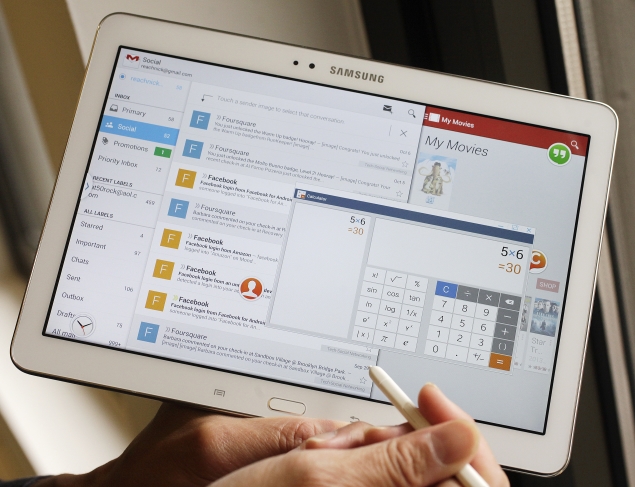
Multi Windows enabled 

Notification buttons can set up easily 

This is THE REAL GUN from GALAXY NOTE 3,
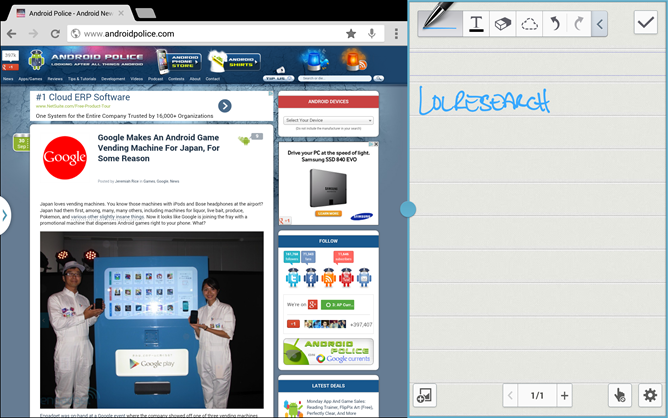
rclxms.gifcombo window aka Pen windows rclxms.gif
icon_idea.gifNew S-Pen functions, which is 
comes from Samsung Galaxy Note 3


Sample Video was taken From famous Computing website, Engadget


Sample Camera from the sites 

No Benchmark was added cause personally to avoid the Fanboyism to flaming the blogs biggrin.gif

Pros:
New S-Pen functions , 
1st Qualcomm SnapDragon S800 Processors on the gigantic Phablets[Phone Tablet, u may found it at Oxford Online Dictionary], 
Camera snapping improved from Last year model of the G.Note 10.1" 2012 edition
SD-cards for expandable storage ready
Faux-like design at the rear
SIM cards ready 
8200 mAh NiCad battery ready 

Cons:
A bit of Plastic gimmicks 
doh.gif
Less Accessories to get it for this [CASES]

Verdict: 98% [MY BEST choice]